Automated collection without copy-paste
Connect the required sources once, keep the report structure, and stop rebuilding monthly reports from manual exports.
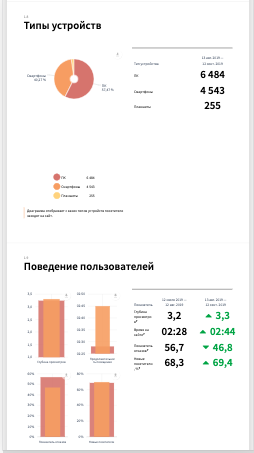
Collect data from 30+ marketing sources, generate branded reports in minutes, and show clients what changed before they scroll into the details.
Your first report in 5 minutes. Start with a 14-day free trial or request a demo report first.
Approved client logos will replace these placeholder marks before launch; current shapes stand in for the real pack.
The public root keeps the scope tight: one calm landing shell, real signup flow, reused demo-report contract, and the proof set already approved in Track 0.
Connect the required sources once, keep the report structure, and stop rebuilding monthly reports from manual exports.
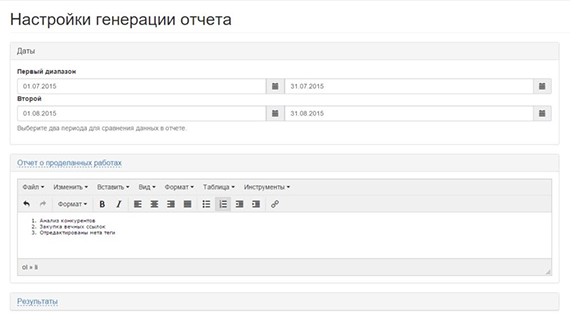
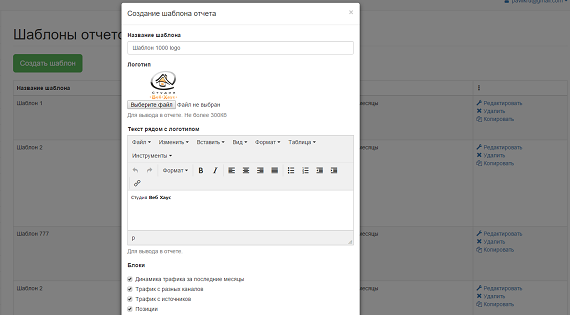
Use branded report delivery, white-label styling, and higher-tier domain options when the client should only see your agency brand.
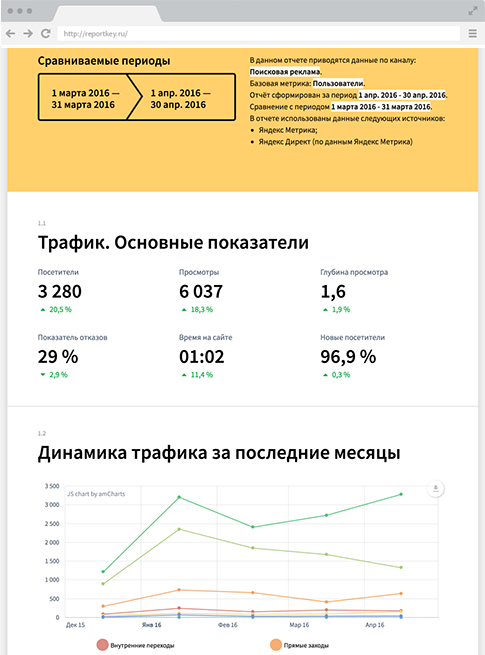
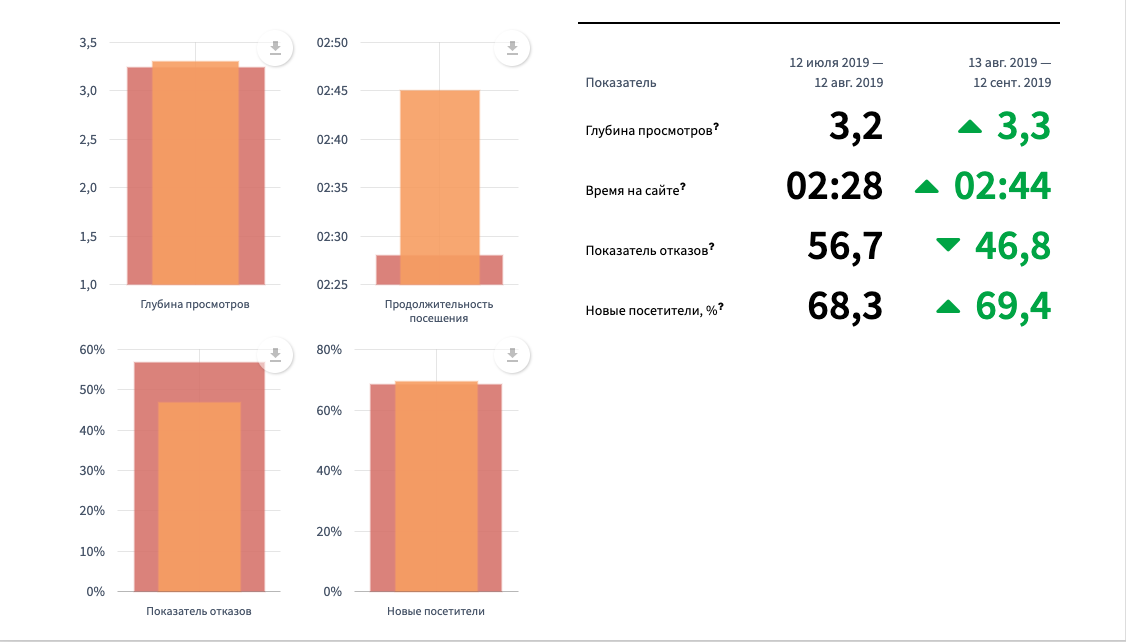
Highlight growth, decline, and anomalies before the reader dives into the sections, so the first screen already explains the month.
Yandex, Google, VK, myTarget, Topvisor, call-tracking, and the rest of the recurring reporting stack live in the same workflow.
The first 12 are visible immediately. The rest stay available in the expanded list without requiring JavaScript.
Do not see your source here? Send us the integration request and we will review the next candidate.
The current implementation keeps the three launch audiences on the same main page instead of sending visitors to unfinished route families.
Agencies reuse the same report structure across projects, deliver white-label updates on schedule, and stop assembling decks from separate exports.
Freelancers keep one lightweight setup, open the report from any device, and walk into the call with the summary already prepared.
In-house teams put SEO, ads, analytics, and call-tracking into one consistent update so the management view does not depend on multiple dashboards.
It highlights growth, drops, and anomalies first, so the client sees what matters before the detailed breakdown.
The new main landing keeps only the testimonial sources already present in the repository and avoids inventing new proof or unsupported claims.
“Reportkey turned reporting into a predictable process for our team: understandable reports, flexible settings, integrations with analytics systems, exports, and branding in one place. We would also highlight the speed of the support team and how seriously they treat product improvements.”

“Index.Art values three things most: reports are easy to review on any device, the preparation time is minimal, and the support team stays fast and helpful when questions appear.”
“We connected five projects and immediately saved around eight analyst hours per month on report preparation. Scheduled delivery and polished visuals made the workflow easier for both the team and the client.”
“Reportkey improves personal efficiency and replaces the classic manual SEO reporting workflow with a modern, convenient tool that is actually pleasant to use with clients.”
A compact summary of the current public plans. The dedicated comparison page stays outside this implementation step, so the main landing keeps only the essentials.
14 days free. No card required to start the signup flow.

Request a demo report by email to review the structure, the AI summary, and the next-step links for signup and sample report preview.
The answers stay fact-dense on purpose: they are written for real buyer questions, for search visibility, and for future structured data consumers.
Reportkey is used by agencies, freelancers, and in-house teams that need recurring client or management reporting. Agencies usually care about white-label delivery and scheduling, while in-house teams care about seeing SEO, ads, analytics, and call-tracking in one document. The product is designed for recurring reporting, not one-off dashboard screenshots.
Dashboards keep the source data in separate interfaces, while Reportkey assembles a client-facing report with structure, comments, visuals, and exports in one place. The goal is not another tab with raw widgets, but a report you can send, archive, compare, and discuss with the client. That is why the landing focuses on reporting workflow rather than dashboard replacement language.
The approved launch promise is a 5-minute setup for the first reporting workflow. In practice, the team connects the required sources once, keeps the report structure, and reuses it month after month. If a project needs help during onboarding, support can assist with the first setup.
Reports can be opened as web pages, shared by guest link, and exported to docx, PDF, and Google Sheets. That keeps one report usable for live client review, document export, and internal archive. Mobile viewing is supported for guest links and the web version.
White-label branding is part of the Reportkey positioning, while custom-domain delivery stays tied to higher-tier configuration and rollout rules. If you need reports on your own domain with SSL, support helps confirm the plan, DNS path, and launch-safe setup before client delivery. If you only need branded reports without a separate domain, the branding options still work without changing the primary site.
Yes. The current landing offer is 14 days free, and the signup flow starts from /user/reg.php. If you want to see the structure first, you can request a demo report by email before connecting your own data.
The launch proof set for the new landing uses 30+ integrations as the canonical breadth claim. The visible grid shows the first 12 sources directly and keeps the rest available in the expanded list. If the source you need is missing, the team can review an integration request instead of promising a fake placeholder route.
Yes. Reportkey can place an AI-generated summary at the start of the report. The purpose is to surface growth, decline, and anomalies before the reader gets to the detailed blocks, so the first screen explains the month instead of forcing the client to scan raw charts.
Scheduled generation is already part of the higher-tier plan positioning, and API access is available on selected plan and add-on combinations. The exact entitlement depends on the tariff configuration, so the landing keeps the wording factual and leaves the detailed comparison to the dedicated pricing flow. If the setup is non-standard, support can clarify the safest option.
Yes. The normal migration path is to keep the current report structure, connect the same data sources inside Reportkey, and rebuild the monthly packet as a reusable template. That reduces copy-paste work immediately and lets teams move clients gradually instead of switching every workflow in one day.
Start free, keep the same reporting structure, and use the demo report if you want to inspect the workflow before connecting your own sources.